
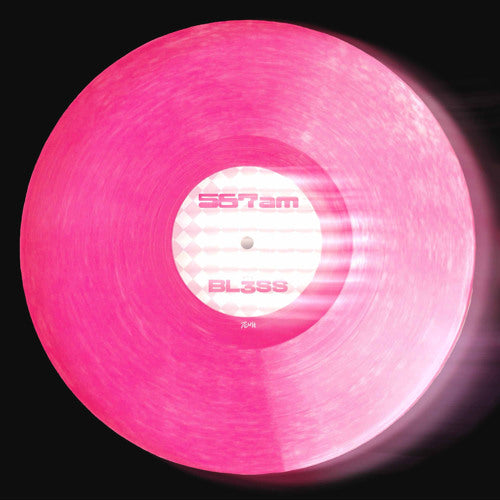

BL3SS - 567AM (Extended) (Ableton Stencil - Speed Garage)
567AM (Extended) — BL3SS
Stencil | 140 BPM | A Minor | Speed House | 7CULT
(Structural arrangement only, no audio included) Compatible with Ableton 12.3 and above
Original reference only. Use any key or BPM.
Ever open Ableton, stare at a blank session, and spend the first hour going nowhere? You know what you want the track to sound like. You just don't know where to start building it. That's not a talent problem. That's a structure problem. And structure is exactly what this stencil solves.
Think of it like a coloring book page for producers. The outlines are already drawn. You bring the colors.
The 567AM stencil is a checklist sitting right in front of you, telling you every element you need to curate and exactly where it belongs. How long should your bassline loop before something changes? It's already mapped. Where do your vocals come in to actually land the way you want them to? It's in there. What needs to drop out to give the track room to breathe? You can see it. Instead of spending mental bandwidth solving those questions mid-session, you open the stencil and get straight to the only work that matters: selecting your sounds, writing your parts, and making musical decisions.
Why are so many tracks left unfinished? Because producers get stuck trying to build the road and drive the car at the same time. The arrangement decisions pile up, the session gets complicated, and the motivation disappears before a single musical idea lands. The stencil removes that wall entirely. Every section is accounted for. Nothing gets missed. You stop overcomplicating and start finishing.
BL3SS is one of the fastest-rising names in UK dance music, BRIT nominated and platinum certified for "Kisses" with CamrinWatsin, a track that spent 11 consecutive weeks in the UK Top 10. 567AM landed on 7CULT on December 31, 2025, running at 140 BPM in the Speed House lane. At this tempo and format, the arrangement either commands a room or it doesn't. The decisions made on this track are worth studying in full, element by element, section by section.
You might not need this.
If you're already finishing tracks and landing pro level arrangements without second guessing yourself, this isn't for you. But experienced producers use stencils for the same reason architects use blueprints. Not because they can't design a building. Because working from a proven structure lets them focus entirely on the decisions that actually require their expertise. You stop defaulting to the same layout out of habit. You catch details you'd miss at hour three of a session. You see exactly how long each element runs, where automation is doing the heavy lifting, and why the track holds up on a large system when so many others don't. The stencil doesn't replace your skill. It gives your skill somewhere better to go.
If you're earlier in your production journey, this is how you close the gap faster than any tutorial will. Stop trying to figure out arrangement theory in isolation. Open a session built from a real released record and see exactly how it's done. See where the vocals sit. See what gets stripped back and when. See how simple the best arrangements actually are once you're inside them. Then build your track the same way. Finishing one track with a stencil teaches you more than watching ten hours of content about finishing tracks.
More tracks finished means more reps. More reps means better records, faster.
What's Inside
Full Arrangement Map — Complete Extended layout with every element positioned exactly as it appears in the released version, section by section.
Fully Organized Session — Open it and start. No setup, no blank screen.
Key Mapped Frequency Check Rack — Instant isolation of lows, mids, highs, mono, and stereo while you work. Built into every CWL stencil.
Two Key Mapped Reference Channels — Drop your own references in for fast A/B comparison without leaving the session.

LISTEN TO THE ORIGINAL TRACK BEHIND THIS STENCIL


PROJECT BREAKDOWN
FEATURES
Key-Mapped Frequency
Check Rack
Clean up your mix fast with a visual EQ guide
Melody and
Counterpoint Placement
See how the emotion builds
Pre-Programmed MIDI
(Basic Pulse)
Kick, snare, and hats mapped for rhythm
Two Key-Mapped
Reference Channels
A/B your version with the original structure
Clearly Labeled
Automation Lanes
Filters, transitions, and FX laid out
Vocal-Friendly Flow &
Arrangement
Spacious structure ideal for writing and recording
FREQUENTLY ASKED QUESTIONS
Reference 1 - [
Reference 2 - ]
Additional reference tools -
On both the master channel and the reference group, there is an Ableton FX rack that allows you to solo high, mid, and low frequencies as well as check your side and mono frequencies. These are also mapped to key commands.
Mono - M (Capital M)
Solo Lows - ,
Solo Mids - .
Solo Highs - /
Solo Sides - ;

