
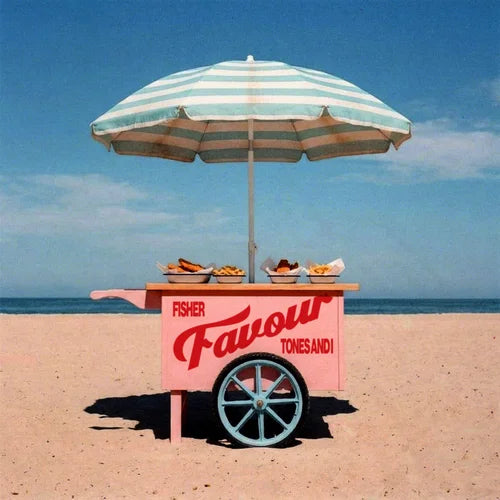

FISHER(OZ), Tones and I - Favour (Extended) (Ableton Stencil - Dance/Pop)
Favour (Extended Mix) — FISHER (OZ) & Tones and I
Stencil | 130 BPM | B Major | Dance / Pop | Catch & Release
(Structural arrangement only, no audio included) Compatible with Ableton 12.3 and above
Original reference only. Use any key or BPM.
Most producers don't have an arrangement problem. They have a blank session problem.
You already know how a finished track should sound. You've heard thousands of them. The gap isn't knowledge. It's the moment you open Ableton and nothing's there yet. That's where time disappears, and that's exactly what this solves.
Think of it like a coloring book page for producers. The outlines are already drawn. You bring the colors.
Every section of Favour's extended mix is mapped inside Ableton. Where each part starts, how long it runs, when ideas repeat, when they drop away. You write every sound yourself: drums, bass, chords, leads, vocals. Nothing from the original is included. The structure is yours to produce into.
Favour is a collaboration between two of Australia's biggest names. FISHER is the Grammy-nominated house producer behind some of the most-played club records of the last decade. Tones and I is the artist whose breakout hit sits among Spotify's most-streamed songs of all time, with over 12 billion streams to her name. Released in April 2026 on FISHER's Catch & Release imprint, the track landed in DJ sets and festival rotations within days.
You might not need this. If arrangement decisions come easily, if you never stare at a blank session, if you're finishing tracks consistently, you're probably fine.
But if you're an experienced producer who keeps defaulting to the same structure every time because building from scratch costs too much bandwidth, this gives you a different skeleton to build inside. The arrangement is already solved. That means your full attention goes toward sound design, songwriting, theory, mixing, mastering, and automation. And if you're honest with yourself, finishing more tracks faster is never a bad thing. The producers putting out the most work aren't necessarily the most talented. They're the ones who removed the obstacles between them and the finished record.
For producers earlier in the journey, the math is simple. Watching tutorials is passive. Finishing songs is the repetition that actually builds the skill. This removes the blank session so your time goes toward producing, not staring.
More tracks finished means more reps. More reps means better records, faster.
What's Inside
Full Arrangement Map — Every section of the extended mix laid out bar by bar. Color coded, labeled, and immediately readable so you can study the structure and produce into it at the same time.
Fully Organized Session — Open it and start. No setup, no blank screen.
Key Mapped Frequency Check Rack — Instant isolation of lows, mids, highs, mono, and stereo while you work. Built into every CWL stencil.
Two Key Mapped Reference Channels — Drop your own references in for fast A/B comparison without leaving the session.

LISTEN TO THE ORIGINAL TRACK BEHIND THIS STENCIL


PROJECT BREAKDOWN
FEATURES
Key-Mapped Frequency
Check Rack
Clean up your mix fast with a visual EQ guide
Melody and
Counterpoint Placement
See how the emotion builds
Pre-Programmed MIDI
(Basic Pulse)
Kick, snare, and hats mapped for rhythm
Two Key-Mapped
Reference Channels
A/B your version with the original structure
Clearly Labeled
Automation Lanes
Filters, transitions, and FX laid out
Vocal-Friendly Flow &
Arrangement
Spacious structure ideal for writing and recording
FREQUENTLY ASKED QUESTIONS
Reference 1 - [
Reference 2 - ]
Additional reference tools -
On both the master channel and the reference group, there is an Ableton FX rack that allows you to solo high, mid, and low frequencies as well as check your side and mono frequencies. These are also mapped to key commands.
Mono - M (Capital M)
Solo Lows - ,
Solo Mids - .
Solo Highs - /
Solo Sides - ;

