
Ableton Live Extension · free during the beta
Everything you need to learn is already on YouTube. It is just a mess.
Video Vault is your own library of tutorials, inside Ableton Live, organized to your taste with your notes on every one.
Free. No spam. Unsubscribe any time.
- Requires Live 12 Suite 12.4.5 or later
- Installs from Live's own settings
- Free while Extensions are in beta
The problem
The endless learning loop
Watch an hour long video, try what you learned once, watch three more the next day, and by the weekend you could not tell anyone what you learned. Rinse and repeat forever.
The YouTube rabbit hole
Tons of great content from the best producers and engineers in the world, and none of it is organized. Watch later fills up until it means nothing and you lose track of what was actually good.
Notes on paper
Worth doing, but the note gets separated from the video it came from, so you cannot go back and check the source. In music you often have to hear what a decision is doing to understand it, and paper cannot play you anything.
A library you built on purpose
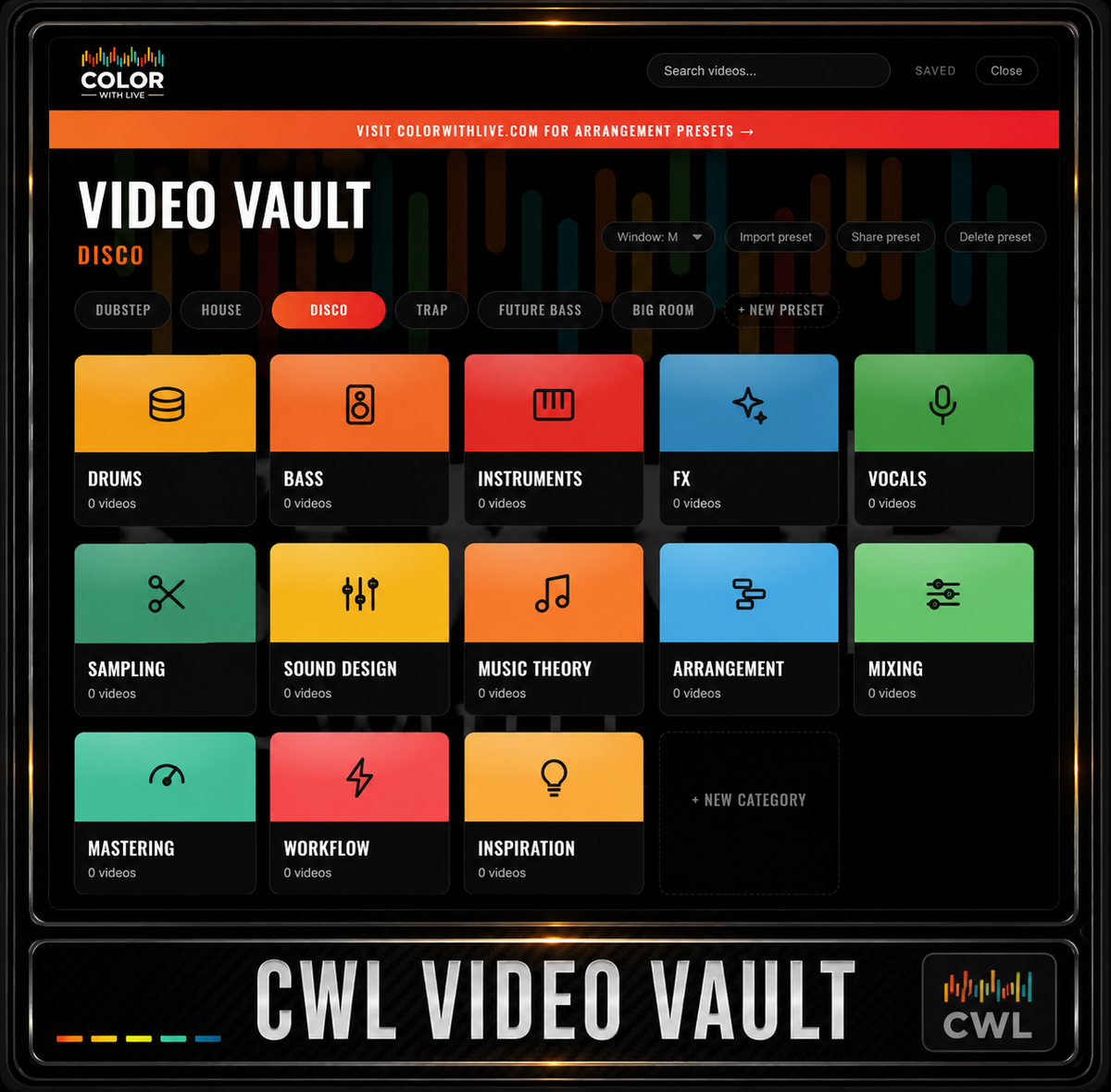
Filed under your own categories with your notes attached to the video itself, open in the session where you use it. Go back, hear it again, and only keep the ones worth keeping.
Why it exists
We traded tutorials like Pokemon cards
At production school we sent each other the best tutorials we found, and everything had value. That is how I learned fastest. The problem was that it all piled up. Links in messages, files on a drive, no order to any of it, so the good ones got buried with everything else.
Video Vault is that trade done properly. You send a friend a preset and they get the videos in your order, in your folders, with your notes on why each one is worth watching.
What it does
Organize it the way you think
Save any video from inside Live
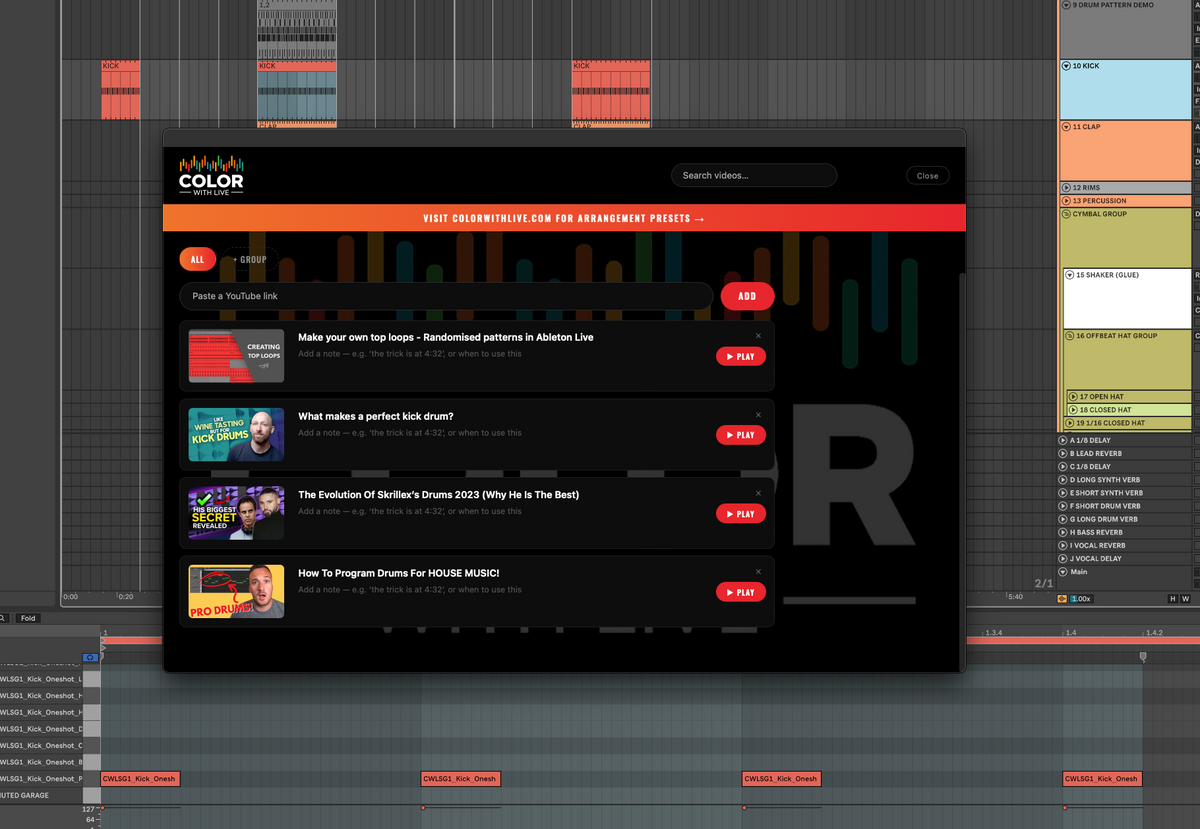
Right click any track to open Video Vault, paste a YouTube link, and it is saved with its title and thumbnail.
File it by category
Drums, bass, instruments, mixing, sound design, or whatever you actually search for.
Folders inside folders
Drums, then top loops, then kick. Go as deep as your system needs.
Notes that save with the video
Write what you worked out while you watch. It is still there the next time you open it.
Share a whole curriculum
Save a preset, send the code, and your friend gets the entire vault with your notes.
Watch next to your session
The video plays beside your set, so you never leave Live to follow along.
Install
Four steps and it is in every set
Extensions install once in Live's own settings. There is no plugin folder and no window to manage.
- Run Live 12 Suite 12.4.5 or later. Extensions reach everyone with the next Ableton release, and until then they are in Ableton's free public beta.
- Open Live's settings and go to the Extensions pane
- Drop the .ablx file in, then restart Live
- Right click any track header to open Video Vault
Common questions
Ableton Live 12 Suite, version 12.4.5 or later. Extensions are part of Ableton's free public beta at ableton.com/beta and are not available in Live Standard, Intro or Lite.
Open Live's settings, go to the Extensions pane, drop the .ablx file in and restart Live.
Right click any track header to open Video Vault.
No. Videos stream from YouTube, so it needs an internet connection. No audio is included.
Yes. Every preset exports as a code. Send it to anyone and they get your videos, collections and notes.
It is free while Ableton Extensions are in beta. I am still building on it, and it may not stay free once it is finished.
Start your library while it is free
Keep the ones worth keeping, file them your way, and build a sound out of the mix of your favourite creators and artists that ends up being your own.
Free. No spam. Unsubscribe any time.
Feature ideas, bug reports and requests go to team@colorwithlive.com